
You search for your brand on Google, and your heart sinks. Instead of your homepage, you see links for Viagra, Cialis, or shady online pharmacies under your domain name. This is the classic, frustrating sign of the pharma hack wordpress infection. This sophisticated attack injects spammy pharmaceutical keywords into your site, hijacking your hard-earned SEO authority to promote illicit products. It’s not just embarrassing; it can get your site blacklisted by Google and destroy your brand’s reputation. But don’t panic. This guide will walk you through every step of detection, cleanup, and prevention.
This comprehensive guide is brought to you by the expert team at MalwareRemoveExpert.net, founded by WordPress security specialist Joynal Abdin, who has successfully cleaned thousands of hacked sites.

Table of Contents
- What is the WordPress Pharma Hack (and Why Is It So Sneaky)?
- Symptoms: How to Confirm You Have the Infection
- Detecting the Infection Source: Cloaking and Hidden Code
- Step-by-Step Pharma Hack WordPress Removal (Database First)
- Cleaning Malicious Files, Backdoors, and Core Infections
- Post-Hack Hardening: How to Prevent Reinfection
- Google Blacklist Removal & SEO Recovery
- Frequently Asked Questions
- Need Expert Help?
What is the WordPress Pharma Hack (and Why Is It So Sneaky)?
The Pharma Hack is a type of Search Engine Poisoning (SEP) attack. Hackers gain unauthorized access to your WordPress site and inject malicious code and spammy content. Their goal isn’t to break your site but to secretly use its SEO ranking. The core of this hack’s success lies in a technique called cloaking.
Cloaking involves showing different content to search engine bots (like Googlebot) than to human visitors. The bot sees pages filled with thousands of pharma-related keywords and links, which get indexed. However, when a regular user or you (the site admin) visits the same URL, you see your normal content, or you’re redirected. This makes the hack incredibly difficult to spot until you see the damage in search results or get a warning from Google Search Console.
The infection typically involves two parts:
- Database Injection: Malicious scripts create thousands of spammy posts or pages directly within your `wp_posts` table. Sometimes they inject code into your `wp_options` table to load malware on every page.
- File-Based Backdoors: Hackers hide malicious PHP files in core directories, `wp-content/uploads`, or even disguised as common plugins. These files ensure the infection persists even if you delete the spammy posts and can reinfect the database automatically.
Symptoms: How to Confirm You Have the Infection
Before you start deleting files, you need to be certain you’re dealing with the pharma hack. The signs can range from obvious to subtle. The most common indicator is seeing your site listed with pharma-related titles and meta descriptions in Google search results. Performing a `site:yourdomain.com` search on Google is the quickest way to check this.
Here’s a breakdown of common symptoms:
| Symptom | Description | Where to Check |
|---|---|---|
| Spammy Search Results | Your site appears in Google with titles about Cialis, Viagra, Xanax, etc. | Google Search (e.g., `site:yourdomain.com viagra`) |
| Google Search Console Warnings | You receive an email from Google about a “Social engineering content detected” or “Hacked content” manual action. | Google Search Console > Security & Manual Actions |
| Unexplained Traffic Spikes | Sudden increases in traffic to non-existent pages, often from search engines. | Google Analytics, Server Logs |
| Suspicious Files | You find recently modified files with strange names (e.g., `db.php`, `diff.php`) or obfuscated PHP code. | File Manager, FTP Client, SSH |
| Conditional Redirects | Visitors coming from Google are redirected to a spam site, but direct visitors are not. | Browser developer tools (Network tab) |
If you’re noticing one or more of these signs, it’s highly likely you’re a victim of the pharma hack. The next step is to locate the source of the infection.
Detecting the Infection Source: Cloaking and Hidden Code
Finding the malware is the hardest part. Hackers are experts at obfuscation. They use functions like `eval`, `base64_decode`, `gzuncompress`, and `str_rot13` to hide their code’s true purpose. You’ll need to look in both your files and your database.
A good starting point is using SSH and the command line to search for suspicious patterns. The following `grep` command searches your entire public directory for common obfuscation functions:
grep -r -lE "(eval|base64_decode|gzuncompress|str_rot13|passthru|shell_exec|exec|system)" .This command will list files containing these potentially malicious functions. Not every result is malware (some plugins use them for legitimate reasons), but it gives you a list of files to investigate manually. Pay close attention to any unfamiliar files in `wp-includes`, `wp-content/uploads`, or files with recent modification dates that you don’t recognize.
To detect cloaking, you can impersonate Googlebot using `curl`:
curl -A "Googlebot/2.1 (+http://www.google.com/bot.html)" -L http://yourdomain.com/some-page/Compare the output of that command with what you see in your browser. If the `curl` output is full of spam links while your browser shows the normal page, you’ve confirmed a cloaking infection.
Step-by-Step Pharma Hack WordPress Removal (Database First)
Warning: Always take a complete backup of your files and database before making any changes. An error here could take your entire site down. If you are unsure, it’s safer to seek Professional WordPress malware removal.
We start with the database because it often contains the bulk of the spam content and can be the trigger for reinfection. Access your database using a tool like phpMyAdmin.
1. Clean the `wp_posts` Table:
The pharma hack often creates thousands of hidden pages. You can find them with an SQL query. Run this query to find posts containing common pharma keywords. Be sure to replace `wp_` with your actual database prefix if it’s different.
SELECT * FROM `wp_posts` WHERE `post_content` LIKE '%viagra%' OR `post_content` LIKE '%cialis%' OR `post_title` LIKE '%xanax%';Review the results carefully. If they are all clearly spam, you can delete them. Be careful not to delete legitimate content. To delete the identified spam posts, you can run a `DELETE` query:
DELETE FROM `wp_posts` WHERE `post_status` = 'publish' AND (`post_content` LIKE '%viagra%' OR `post_content` LIKE '%cialis%');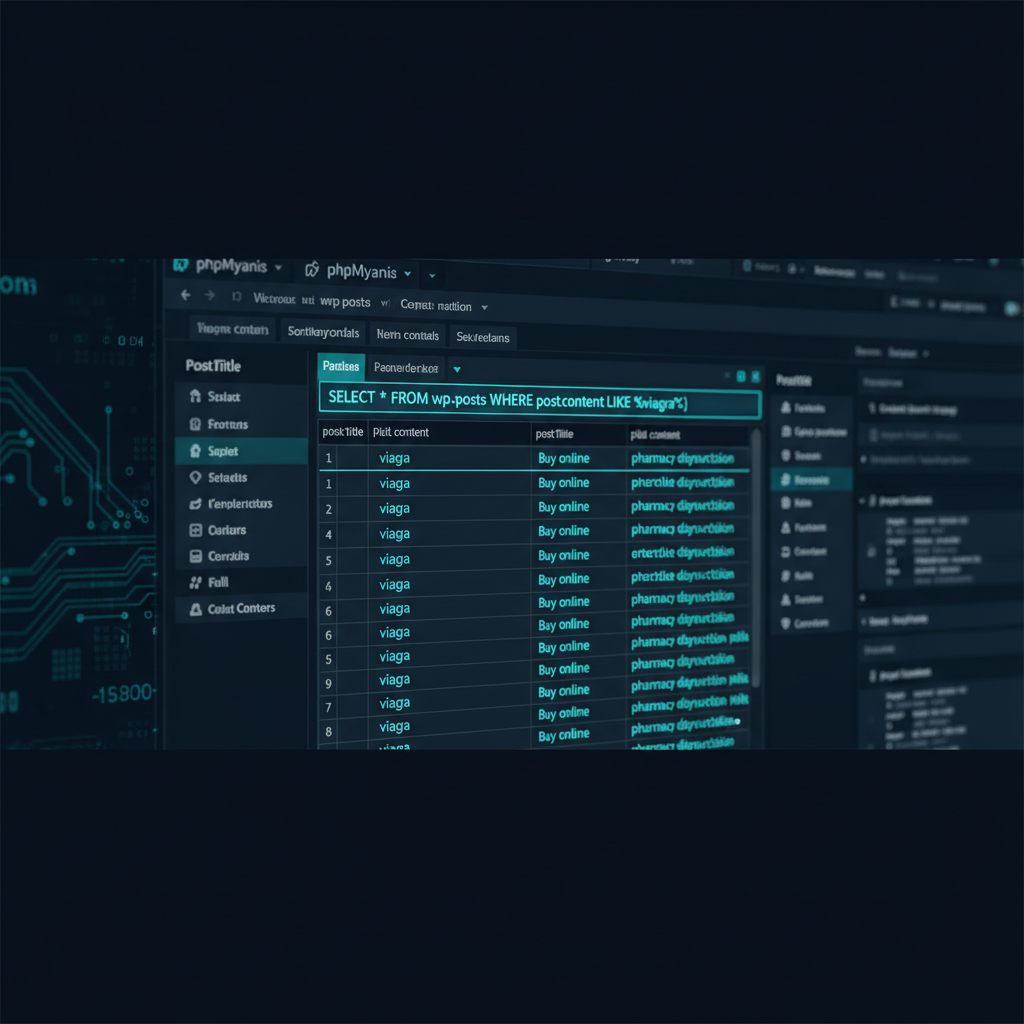
2. Check the `wp_options` Table:
Hackers often inject malicious code into the `wp_options` table to load scripts on every page view. Look for suspicious options, especially ones with large data blobs in the `option_value` column or odd `option_name` values like `wp_check_hash`, `class_generic_support`, or `widget_logic`.
SELECT * FROM `wp_options` WHERE `option_name` LIKE '%wp_check_hash%' OR `option_name` LIKE '%class_generic_support%';You can also sort the table by `option_id` in descending order to see the most recently added options, which are often malicious.
Cleaning Malicious Files, Backdoors, and Core Infections
With the database spam removed, it’s time to clean the filesystem. This is critical to prevent the hack from returning.
- Replace WordPress Core Files: Download a fresh copy of WordPress from WordPress.org. Delete your site’s `wp-admin` and `wp-includes` directories completely, then upload the fresh ones. This ensures any infections in core files are removed without touching your content.
- Inspect `wp-config.php`: This is a primary target. Open your `wp-config.php` file and look at the very top and very bottom for any suspicious code. It should start with `<?php` and nothing else. Remove any injected `eval(base64_decode(…))` lines you find.
- Clean `.htaccess`: The pharma hack often adds malicious rewrite rules to your `.htaccess` file to handle cloaking and redirects. Look for any rules you don’t recognize, especially complex `RewriteCond` and `RewriteRule` blocks that mention user agents or referrers. When in doubt, you can delete the file and have WordPress regenerate a clean one by going to Settings > Permalinks and clicking “Save Changes”.
- Audit `wp-content`: This is the most difficult part. Hackers love to hide backdoors here.
- Check your `/wp-content/uploads` directory. It should contain media files (images, PDFs), not PHP files. Delete any `.php` files you find there.
- Inspect theme and plugin files, sorting by modification date to find recently changed files. Compare suspicious files to clean versions from the original source.
Post-Hack Hardening: How to Prevent Reinfection
Cleaning the site is only half the battle. If you don’t secure it, you’ll be hacked again. The original vulnerability is likely still present. Take these hardening steps immediately.
- Change All Passwords: This includes WordPress admin users, database users, FTP/SSH accounts, and hosting panel passwords. Use a strong password generator.
- Update Everything: Update WordPress core, all plugins, and all themes to their latest versions. Remove any plugins or themes you are not using. Outdated software is the #1 cause of hacks.
- Install a Security Plugin: A good security plugin like Wordfence or Sucuri Security will scan your files, monitor for changes, and provide a web application firewall (WAF) to block attacks.
- Implement Two-Factor Authentication (2FA): This adds a critical layer of security to your login page, making it much harder for attackers to brute-force their way in.
- Review User Accounts: Go to the “Users” section in WordPress and delete any accounts you don’t recognize. Ensure all remaining users have the minimum required role (e.g., don’t give an author Administrator privileges).
After a thorough cleanup, your security scanner should show a clean bill of health. This is your baseline for a secure, hardened website ready for the final step: SEO recovery.
Google Blacklist Removal & SEO Recovery
Once your site is clean, you must inform Google so they can re-index it and remove any warnings. This is done through Google Search Console.
First, ensure you have removed all spam pages. The `site:yourdomain.com` search should now show only your legitimate pages. Next, resubmit your sitemap in Google Search Console (under Indexing > Sitemaps). This prompts Google to re-crawl your site.
If you received a manual action penalty, you’ll need to submit a review request. In Search Console, go to “Security & Manual Actions” > “Manual actions”. Here, you will explain what caused the issue and detail the steps you took to fix it. Be honest and thorough. The review process can take a few days to a week or more.
“Recovering from a pharma hack is more than just removing code. You’re rebuilding trust with Google and your users. A sloppy cleanup can lead to reinfection and permanent SEO damage. Be meticulous, or hire someone who will be.”
Patience is key. It can take several weeks for your search rankings to fully recover after a significant hack. Consistent monitoring is essential during this period.
Frequently Asked Questions
Why was my WordPress site targeted for the pharma hack?
Hackers target WordPress sites indiscriminately, usually through automated scans. Your site was likely vulnerable due to an outdated plugin, theme, or WordPress core version. Weak passwords and insecure hosting configurations are also common entry points. It’s rarely a personal attack; your site was simply an opportunity.
Can’t I just delete the spammy pages from WordPress?
No, simply deleting the posts from the WordPress admin dashboard is not enough. The pharma hack is a deep infection. The malicious code that generated those pages still exists in your files or database. If you only delete the posts, the backdoors will remain, and the spam pages will reappear, sometimes within hours.
Will a security plugin fix the pharma hack automatically?
While security plugins are excellent for scanning and prevention, they often struggle to completely remove a sophisticated infection like the pharma hack. They might find some malicious files, but they can miss hidden backdoors, database injections, and obfuscated code. A full manual cleanup is almost always required for a guaranteed fix.
How long does it take for my Google ranking to recover after the hack?
Recovery time varies. After you submit a reconsideration request, Google can take anywhere from a few days to a couple of weeks to review your site. Once the blacklist is removed, it can still take several weeks or even months for your SEO rankings to stabilize and return to their pre-hack levels, depending on the severity and duration of the infection.
Need Expert Help?
Dealing with a pharma hack wordpress infection is stressful, technical, and time-consuming. A single missed backdoor can lead to reinfection, causing the nightmare to start all over again. Don’t risk your brand’s reputation and your customers’ trust.
Let the professionals at MalwareRemoveExpert.net handle it for you. We guarantee a complete and permanent cleanup, fast.
- 24-Hour Turnaround: We’ll have your site clean, secure, and back online typically within 24 hours.
- 30-Day Guarantee: If the infection comes back, we’ll clean it again for free. Your peace of mind is our priority.
- Trusted Expertise: With a 4.9-star rating with clients worldwide from 100+ reviews, our track record speaks for itself.
Stop the stress and get your business back on track today. For an emergency cleanup, contact us now.